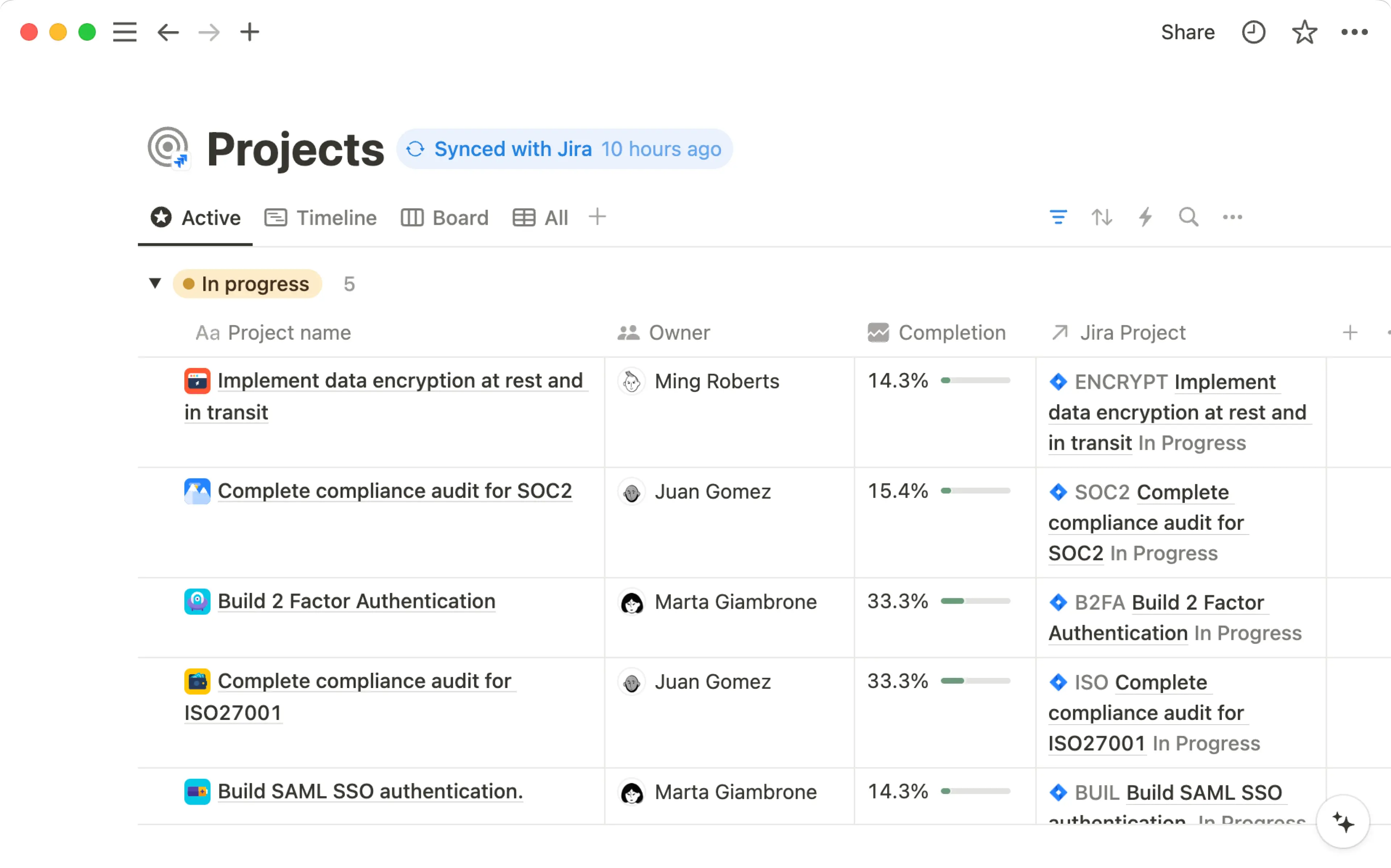
整合 Slack

結合 Notion 與 Slack,讓您的團隊能隨時隨地更好地協作 💬
跳至常見問題Notion 與 Slack 的整合讓兩個平台之間的溝通更加順暢。您可以傳送 Slack 訊息至 Notion 資料庫,並接收 Notion 活動的 Slack 通知。請繼續閱讀以深入了解整合的不同功能及其設定方式。
若要接收 Notion 活動的 Slack 通知:
前往側邊欄的
設定→通知。找到
Slack 通知。點擊
新增帳號並完成驗證程序。
若要將 Slack 通知設定為資料庫自動化的一部分:
選取資料庫頂端的
•••。選取
自動化與新增觸發條件。接著選擇
新增頁面或編輯屬性→傳送 Slack 通知至...選取 Slack 頻道。
若尚未連線,系統會要求您連結 Slack 帳號。

Notion AI can find answers to your questions based on information from your Slack conversations. Learn more about this feature here →
當 Slack 訊息變成待辦事項或新點子時,直接將其傳送到 Notion 資料庫,以免遺漏。操作方式如下:
在 Slack 輸入指令
/notion create,或點擊任何 Slack 訊息旁的⋮→傳送至 Notion。您可能需要選取更多訊息捷徑...才能找到此選項。搜尋您想存放此新頁面的資料庫,或貼上資料庫連結。接著為頁面命名。
選取
新增屬性,根據資料庫現有的屬性為新頁面新增更多資訊。若您希望 Slack 討論中的其他人收到您所建立之新資料庫項目的通知,請勾選
公開確認頁面建立旁的方塊。點擊
儲存。

Note: The /notion create command only works at the Slack channel level, and not inside of Slack threads.
若要直接從 Slack 建立 Notion 任務:
在 Slack 中輸入指令
/notion task,或點擊任何 Slack 訊息旁的⋮→在 Notion 中建立任務。您可能需要選擇更多訊息捷徑...才能找到此選項。搜尋您希望此新任務存放的專案,或貼上 Notion 專案的連結。您可以為任務命名,並設定負責人、狀態、到期日和說明。
如果您希望 Slack 討論中的其他人收到您所建立之新任務的通知,請勾選
公開確認頁面建立旁邊的方塊。點擊
儲存。
Note: The /notion task command only works at the Slack channel level, and not inside of Slack threads.
當 Notion 發生特定事件時接收 Slack 通知。您可以透過兩種方式設定這些通知:
您可以選擇僅在您於頁面、留言或資料庫中的人員屬性被提及時才收到通知。
您可以選擇在發生上述所有情況,以及下列情況時收到通知:
您擁有的頁面收到留言,或是您已參與的留言串中新增了留言。
您已設定通知的資料庫中,有屬性遭到變更。
您已受邀加入頁面。
有人請求存取權限至您擁有的頁面。
若要進行設定:
前往側邊欄的
設定→通知。開啟 Slack 通知旁邊的下拉式選單,並選擇您的 Slack 工作空間名稱。如果您沒看到列出的 Slack 工作空間,也可以選擇
新增帳號。切換開啟
工作區中的活動以接收上述所有通知。這也會自動切換開啟僅限使用者或群組提及。如果您只想在工作區中被提及時才接收 Slack 通知,請切換關閉工作區中的活動.
關閉 Slack 通知
若要停止在 Slack 中接收通知:
前往側邊欄的
設定→通知。開啟
Slack 通知旁邊的下拉式選單,並選擇關閉。
Note: This feature is only available on paid plans.
當您在 Notion 中建立按鈕、資料庫按鈕或資料庫自動化時,您可以將其設定為傳送 Slack 通知到特定的 Slack 頻道。您甚至可以使用以下內容自訂通知:
粗體和斜體等格式化文字。
超連結。
針對特定 Notion 頁面、人員或團隊協作區的 @提及。
動態變數,例如
@now和@trigger.person(觸發 Slack 通知的人員)。Slack 專用變數,例如
@channel和@here。表情符號。
讓我們看看在 Notion 中可以建立 Slack 通知自動化的各種位置。
在按鈕中
當您在頁面中建立按鈕時,您可以將其設定為傳送 Slack 通知到特定的 Slack 頻道。若要執行此操作:
在頁面中插入按鈕。
在
執行此動作下,選擇新增動作→傳送 Slack 通知至...。選擇您要傳送通知的 Slack 頻道。目前無法選擇私人訊息 (DM)。
未來只要點擊該按鈕,就會傳送 Slack 通知。進一步了解按鈕及其設定方式 請點此 →
在資料庫中
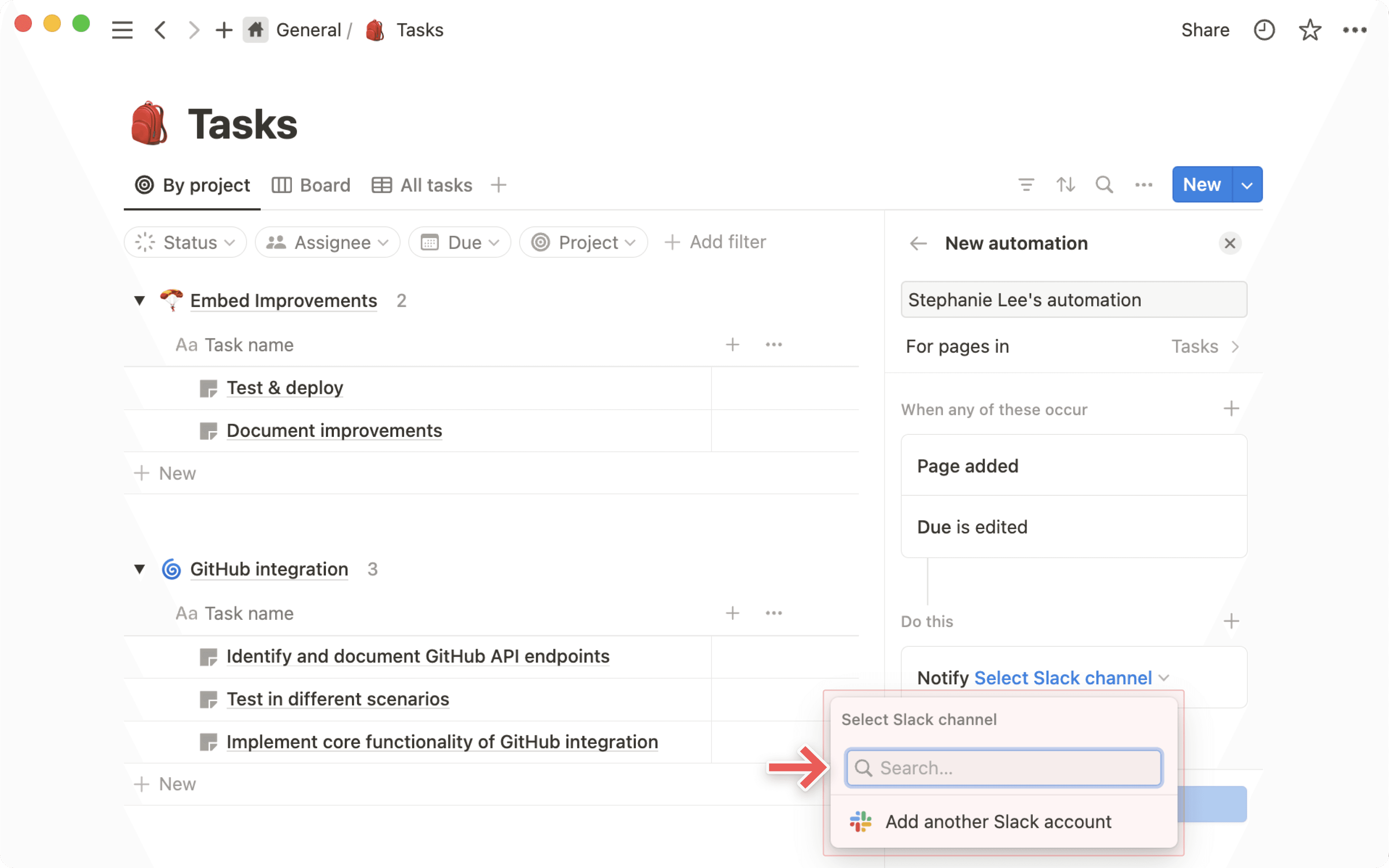
每當有人在資料庫中新增或變更頁面時,您都可以收到 Slack 訊息。
點擊任何 Notion 資料庫右上角的
•••。選擇
自動化。選擇
新增自動化。為通知命名,並選擇
新增觸發條件以選擇會觸發自動化的動作,例如新增頁面或任何屬性已編輯。如有需要,請選取
+以新增額外的觸發。選取
新增動作→傳送 Slack 通知至...。為通知選擇一個目的地頻道。目前,您無法選取私人訊息 (DM)。
在資料庫按鈕中
當您將按鈕屬性新增至資料庫時,您可以將其設定為傳送 Slack 通知至特定的 Slack 頻道。若要執行此操作:
在資料庫中新增一個新屬性。
在
類型下,選取按鈕。在
執行此動作下,選取新增動作→傳送 Slack 通知至...。選取您要傳送通知的 Slack 頻道。目前無法選取私人訊息 (DM)。
未來每當點擊該按鈕時,就會傳送 Slack 通知。深入了解資料庫按鈕,請參閱 這裡 →
從 Slack 複製連結並貼上到 Notion 中。
在出現的選單中,選取
貼上為預覽。
您將會看到該訊息的預覽,以及訊息傳送的時間、傳送至哪個頻道,以及回覆的數量。此資訊會隨變更而更新;您也可以選取 ••• → 重新載入預覽 來查看最新資訊。
當您在 Slack 中貼上 Notion 連結時,它會自動展開以提供關於您頁面的實用資訊。對於具有 AI 摘要屬性 的資料庫頁面,Slack 會自動展開 AI 摘要。
您也可以直接在 Slack 內部授予對已展開 Notion 頁面的存取權限。
在 Notion 頁面上,點擊
分享。按一下搜尋列。
選取
從 Slack 新增聯絡人。搜尋您想要邀請的人員,然後選取
邀請。
常見問題
Can I choose to use just one part of the integration?
Can I choose to use just one part of the integration?
Unfortunately, this is not possible today. When you install Notion’s Slack integration you’ll have the full functionality/all features of the Slack integration.
However, since only users with edit access to a page can set up Notion notifications to Slack, you can control parts of the integration by restricting permissions.
What permission level is required to create a database notification?
What permission level is required to create a database notification?
A user needs Full Access to a Notion database to be able to set up database notifications.
Anyone with at least View access to a database can see all the existing Slack notifications that have been set up. However, they can’t edit or create any themselves.
How do permissions work when I share a Notion page in a Slack channel?
How do permissions work when I share a Notion page in a Slack channel?
The user that shares the page will get a prompt informing them some people in the channel don't have access to the doc. The user is then able to decide if they want to share the page with the people that don't have access. They also have the option to delete the page preview in Slack.
Can admins control who can connect Slack to a Notion workspace?
Can admins control who can connect Slack to a Notion workspace?
As an admin in Slack you can manage settings that give you approval rights for any Slack integration. The same settings will apply to Notion if you choose to turn them on.
On Enterprise plans, Notion admins can also restrict members from installing the Slack integration using their admin permissions to manage connections.
Where can you view and manage the Slack notifications you've set up in your Notion workspace?
Where can you view and manage the Slack notifications you've set up in your Notion workspace?
Database notifications can be managed and edited in the the individual database they’ve been created in. There is currently no way to see all database notification workflows in your workspace from one central place.
Personal @-mention notifications can be managed from Settings → Notifications.
When one person connects Notion to Slack, does that turn it on for everyone?
When one person connects Notion to Slack, does that turn it on for everyone?
No, when one user sets up the integration all Slack users will be able to see an unfurled Notion page link or a Slack link preview in Notion.
But to use the functionality themselves, other users have to connect Slack individually.
How do I send Slack messages to a specific database view?
How do I send Slack messages to a specific database view?
The easiest way to send a Slack message to a specific database view (e.g. you might have a view for only your team’s tasks), is to copy the link to the database view and paste that link into the send to Notion prompt in Slack.
When you send a Slack message to a specific database view, the properties are auto-filled for you. No need to update them yourself manually!
Does the @-mentioned notification in Slack work when a user is mentioned as part of a group @-mention in Notion?
Does the @-mentioned notification in Slack work when a user is mentioned as part of a group @-mention in Notion?
Yes. A group mention in Notion will trigger the @mention notification in Slack to all members of the Notion group that have the Slack @mention turned on.
Are there other 3rd party integrations providers and can I continue to use them (e.g. Zapier)?
Are there other 3rd party integrations providers and can I continue to use them (e.g. Zapier)?
Yes. Those integrations will continue to work as before.